
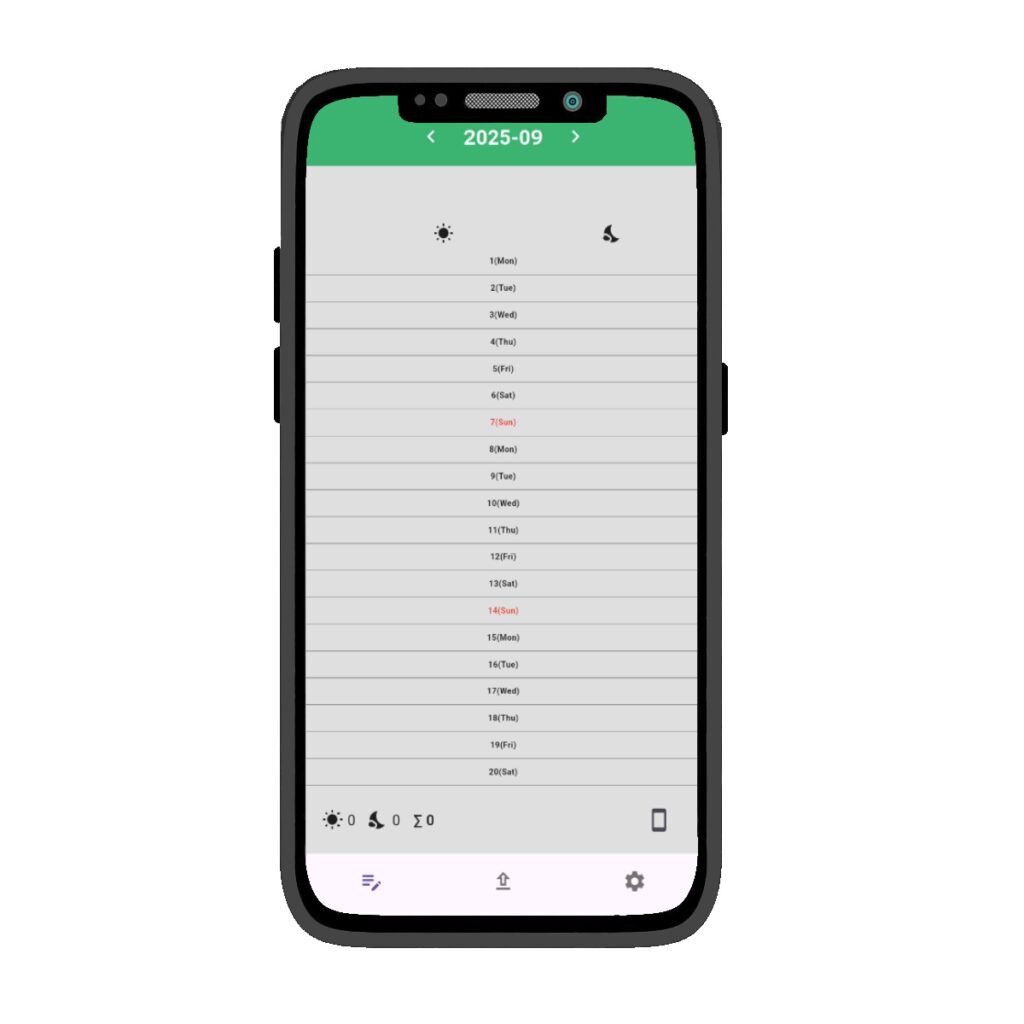
Calendar at a Glance
Calendar at a Glance
Easily track your work shifts with a simple calendar view.
See both Day ☀️ and Night 🌙 shifts together, and never lose count of your working days again.
Automatic Totals
🧮Automatically calculates workdays and shifts, giving you a clear monthly total without manual effort.
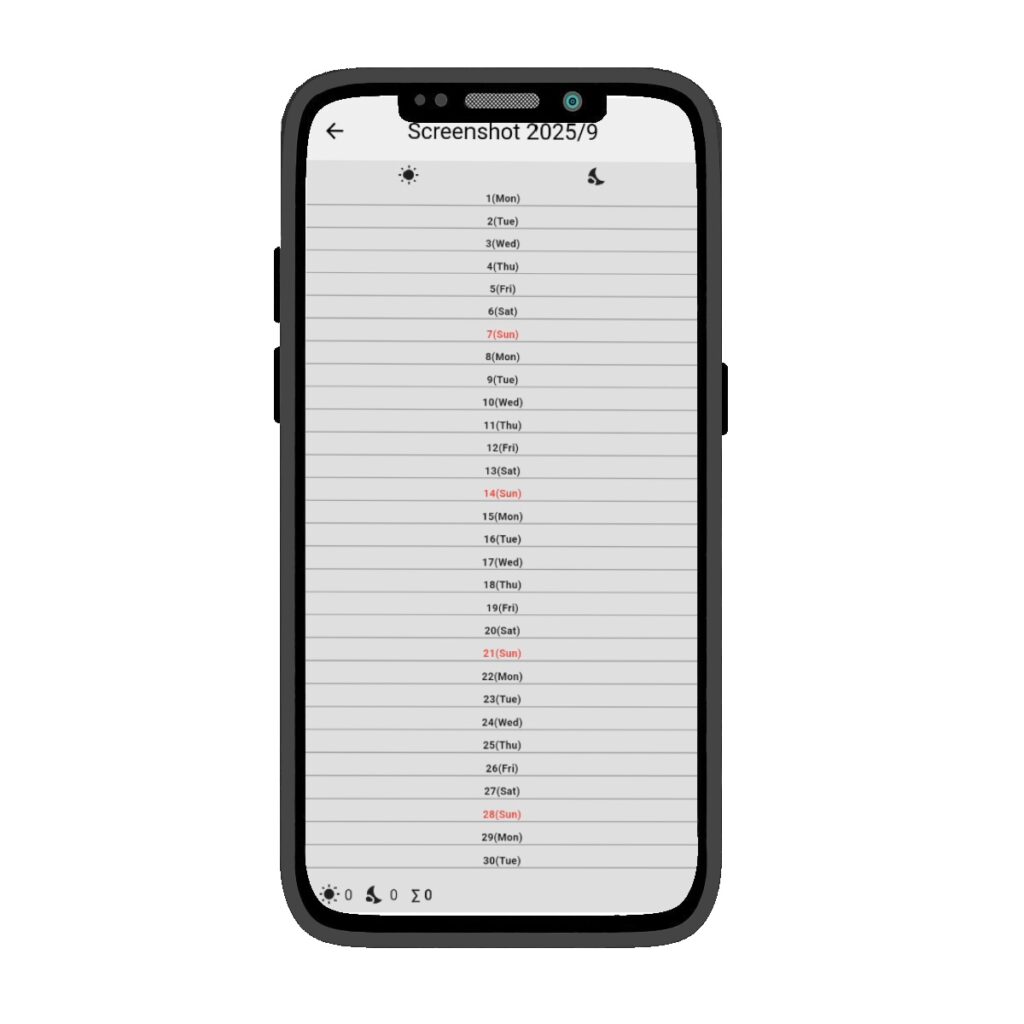
Screenshot Page
📱The Screenshot Page is a special feature that displays a full month of work shifts, including both day and night shifts, in a single view.
With just one tap, your entire monthly schedule is neatly organized on one screen.
By taking a screenshot, you can easily share your workdays with your company or main contractor as a single image.
In addition:
- The use of universal icons and text makes it easy to understand, even at overseas sites.
- The layout is also print-friendly, making it convenient for submitting on paper.
- Simple enough to share digitally—just attach it directly to LINE or email.

Dark Mode
DEZURA supports a “Dark Mode” designed for day ◻️and night ◼️shifts.
During night shifts, the screen is gentle on the eyes, making it easy to check your schedule without glare.
In addition:
- Dark Mode and Light Mode can be switched with a single tap.
- The color scheme prioritizes readability, ensuring comfortable use even for long periods.
- With one-tap switching, anyone can use it intuitively.
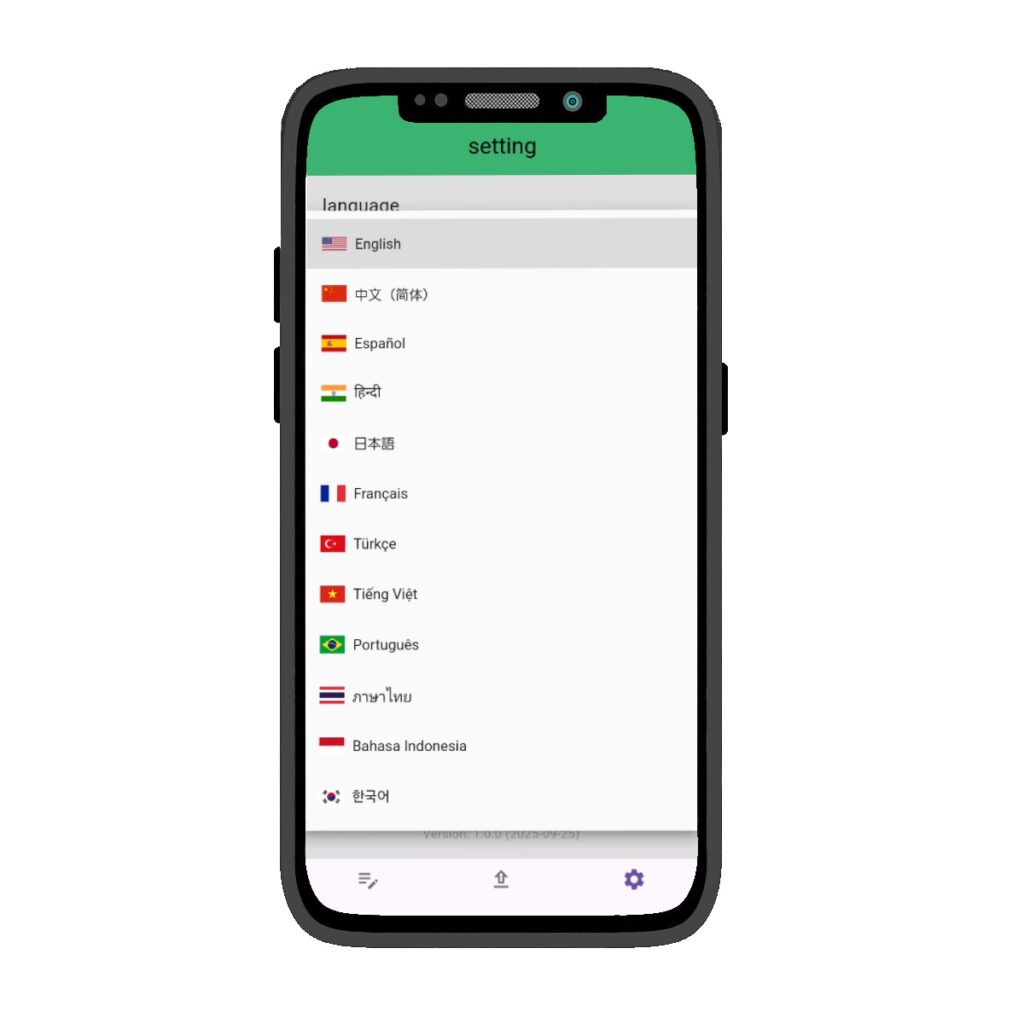
Language
DEZURA is designed with multilingual support so you can use it with confidence anywhere in the world.
With just a single tap in the settings page, you can switch languages instantly, making it easy to operate even at overseas assignments or international job sites.
In addition:
- More languages will be added based on user requests.
- The simple and intuitive system ensures that anyone can use it with peace of mind.
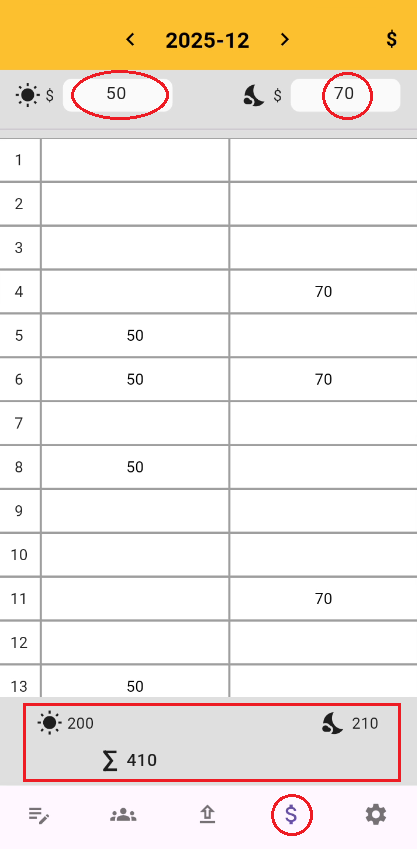
Go to the Salary page by tapping the $ icon.
Start by setting your base pay for ☀️day and 🌙night shifts.
at the top of the page.
DEZURA will automatically collect your working days from the calendar and calculate your total salary for you.
Simple, clear, and stress-free.☺️
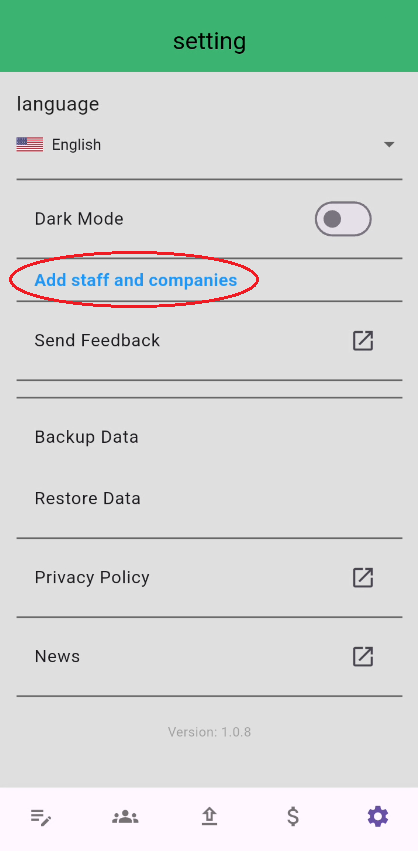
The Staff Management page makes it easy to record staff attendance.
First, register staff names in the Settings page.
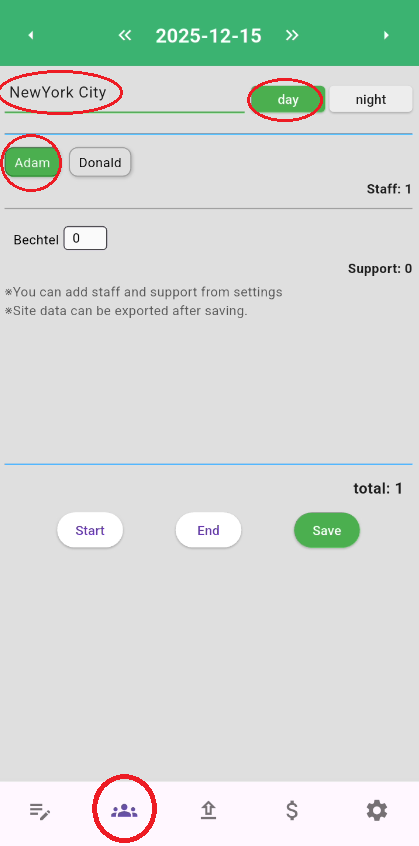
Once registered, tap the Staff button from the global menu.
You can record:
・Site name
・☀️Day or 🌙Night shift
・Working staff
・Support companies
・Working hours
Even if you work at multiple sites in a single day, you can record them separately.
By tapping “Add a new site”, you can log multiple day and night shifts with ease.
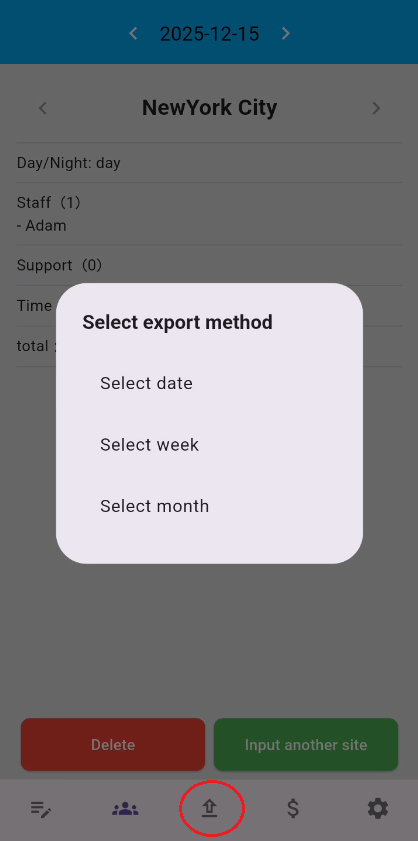
Click the “Export” button to export both of the following items in text format:
Your own attendance records
Staff attendance records
Staff attendance records can be exported in text format by day, week, or month.